Framer
How Much Does a Framer Website Cost?
A Framer website can begin as a low-cost DIY project or become a much larger custom engagement. The difference is not the publishing platform alone. It is the amount of design, content, responsive work, CMS setup, animation, code, integration, and testing required to turn the project into the website you actually need.
Framer's current yearly-billed Site plans range from a free plan to paid Basic and Pro plans, but that recurring platform cost is only one part of the budget. A domain, a template, professional customization, copywriting, media, third-party tools, and future maintenance may all be separate.
I would not use one average price for every Framer project. A focused portfolio built from a free template and a multilingual SaaS site with custom interactions are different products, even if both are published with Framer. The useful approach is to choose a production route first, then calculate the work and recurring services that route requires.
Gabriel Tognon
Designer, Developer & Template Creator
· 10 min read

Key Takeaways
Framer software and hosting costs are different from the cost of designing, writing, customizing, and launching the website.
A free template can create the lowest upfront design cost, but customization, a domain, and an appropriate Site plan may still cost time or money.
A premium template costs more upfront because it may provide a more complete design system, page structure, CMS setup, interactions, support, or licensing terms.
Professional template customization costs more than DIY because a person is adapting content, branding, responsiveness, links, forms, and launch settings.
Fully custom work is project-dependent because strategy, visual direction, content architecture, code, integrations, and testing vary substantially.
What Actually Determines the Cost of a Framer Website?
The number of pages is an obvious cost factor, but it is not the only one. A five-page site built from consistent components may require less work than a one-page experience with complex motion, 3D elements, custom code, and several integrations.
Design complexity changes the amount of visual exploration, component work, and responsive QA. Starting with a template can reduce that work when its structure already fits the business. Starting from a custom direction requires decisions about hierarchy, typography, color, imagery, interaction, and reusable systems before the final pages are assembled.
CMS requirements also matter. A simple marketing site may not need structured content. A blog, template catalogue, case-study library, or resource hub may require collections, fields, dynamic pages, filtering, metadata, and an editorial workflow. The number of collections is less important than whether the content model is clear and maintainable.
Responsive customization, animations, forms, booking tools, analytics, localization, copywriting, search setup, and future maintenance add further work. Custom 3D, WebGL, or application-like behavior can change the technical scope significantly. Two sites on the same Framer plan can therefore have completely different production budgets.
Framer Platform and Hosting Costs
Framer is the website-building and hosting platform. If you need a broader introduction before comparing costs, read what Framer is and how its website workflow works.
On August 11, 2026, Framer's official pricing page lists the Free Site plan at $0, Basic at $10 per month, and Pro at $30 per month when billed yearly. Enterprise pricing is custom. Framer states that prices are monthly amounts billed according to the selected billing cycle and that applicable tax may be added at checkout.
Free
The Free plan provides a Framer subdomain and is useful for learning, designing, testing, and creating templates. Framer's current pricing page says a paid plan is required to connect a custom domain. A free plan can reduce the initial platform cost, but it is not automatically the right production setup for a business website.
Basic
Basic is currently positioned for creative personal sites. It includes a custom domain connection, built-in SEO controls, two CMS collections, and 50 GB of bandwidth. Framer currently lists limits of 30 Site pages and 1,000 CMS items for this plan.
Pro
Pro is currently positioned for growing professional sites. It includes a custom domain connection, ten CMS collections, 100 GB of bandwidth, redirects, a staging environment, and branching with previews. Framer lists higher page and CMS limits, with paid usage expansion available for some limits.
Plan selection should follow the actual site requirements. CMS volume, bandwidth, redirects, staging, localization, analytics history, team seats, and optional add-ons may affect the recurring cost. Framer also lists separate charges for additional editors, content editors, localization, Convert, and advanced hosting in relevant configurations.
The important distinction is simple: the Framer plan pays for platform capabilities and hosting. It does not pay someone to define the website strategy, design the pages, write the copy, customize a template, build special interactions, or run launch QA. Pricing can change, so verify the official page before purchasing.
Option 1: Build It Yourself From Scratch
The lowest direct monetary route is often to design and build the site yourself. Your expenses may include a Framer plan, domain registration, optional fonts or assets, and any external tools used for forms, analytics, email, scheduling, or media.
Your time is still a real cost. You need to learn layout, responsive behavior, components, accessibility, CMS connections when applicable, metadata, forms, publishing, and live validation. You also need to produce the positioning, copy, images, and page structure rather than only arrange visual elements.
DIY can be the right choice when the project is small, the timeline is flexible, and learning the platform is useful beyond this launch. It becomes less attractive when delayed publication, inconsistent design, or technical mistakes cost more than the professional help you avoided.
Option 2: Start With a Free Framer Template
A free template removes part of the blank-page problem. It may provide an established visual system, responsive sections, components, and included pages that you can adapt instead of designing everything from the beginning.
Pura is a free bytog Framer template for studio, agency, and portfolio-style websites. The template itself costs $0, but the final website may still require an appropriate Framer plan, a domain, real content, brand adaptation, link and form setup, responsive checks, and publishing work.
Free does not automatically mean low quality, and paid does not automatically mean a better fit. Each creator decides what pages, CMS features, support, updates, and license terms are included. The practical comparison is covered in the guide to free and premium Framer templates.
This route suits people who can complete the customization themselves and whose needs already match the template. The monetary cost can remain low, while the main tradeoff is the time required to make the result specific, complete, and launch-ready.
Option 3: Buy a Premium Framer Template
A premium template is a middle ground between starting from zero and commissioning a custom website. You pay an upfront amount for an existing design and implementation, then invest your own time or additional professional help to adapt it.
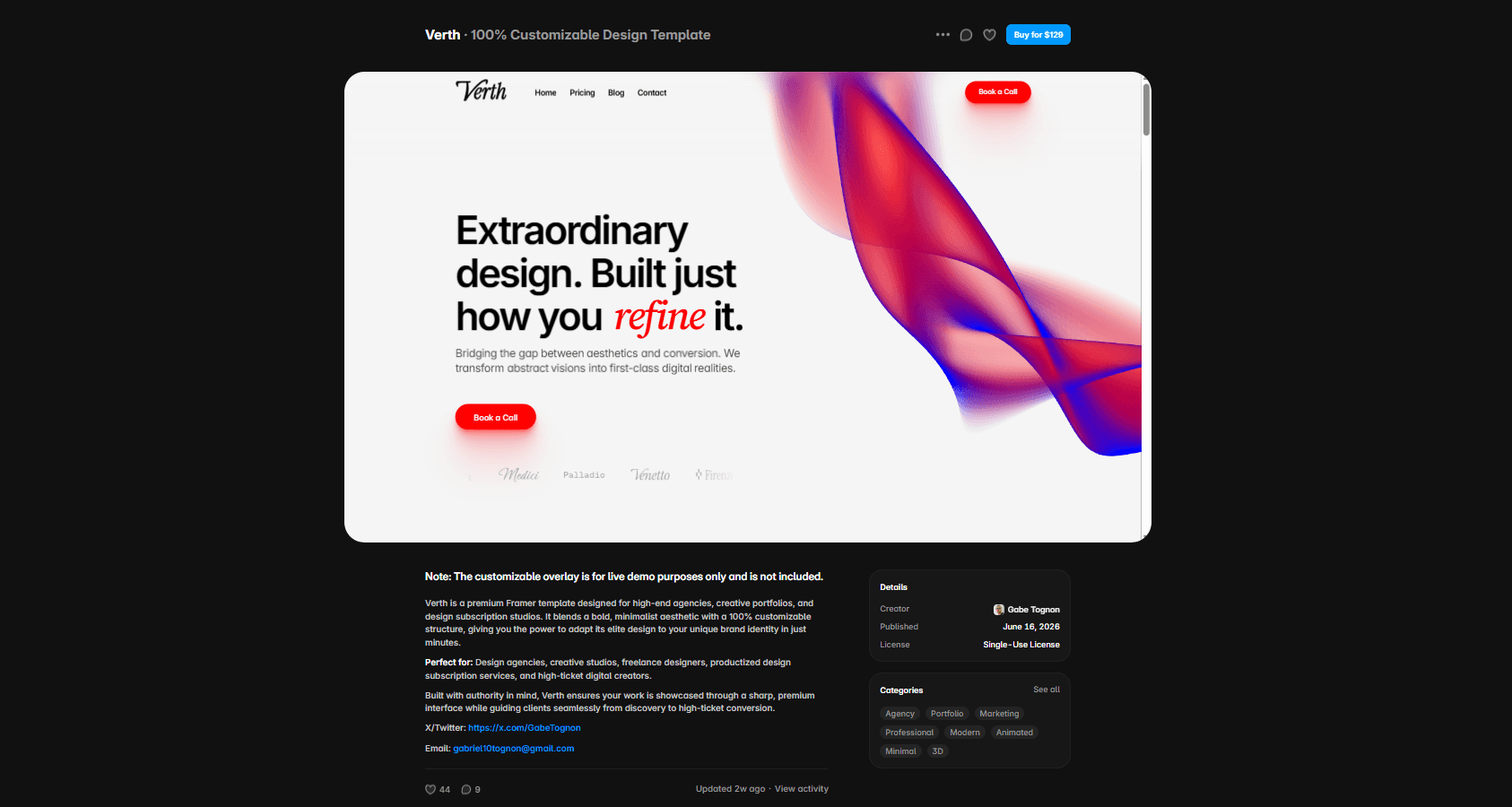
In the current bytog Templates CMS, Verth, Starks, Fluxis, and Aeterna each have a $129 Standard License and a $149 Extended License. Pura remains free. These are bytog examples, not universal Framer template prices.
The Standard License covers one personal, commercial, or client website and includes lifetime updates with regular support. The Extended License covers unlimited personal, commercial, or client websites and includes lifetime updates plus 30 days of priority support. Other creators may use different prices, license scopes, delivery methods, update policies, and support terms.
Before buying, inspect the included pages, CMS, components, breakpoints, interactions, documentation, license, support, and how much of the preview depends on placeholder content. The Framer template buying checklist helps evaluate that starting point without assuming every premium template includes the same system.
Option 4: Template + Done-for-You Customization
Professional template customization is a separate route between DIY and a fully custom build. You begin with an existing template, then hire someone to adapt the established system around your brand, content, images, typography, colors, pages, responsive layouts, forms, links, basic search setup, and publishing preparation.
The cost depends on the provider and the confirmed scope. Before paying, ask whether the template is included, which existing pages will be customized, how many revision rounds are included, who supplies the copy and media, and whether publishing support is part of the service.
This is not the same as unlimited design work or a completely new website from scratch. New pages, major redesigns, custom code, advanced integrations, 3D, complex CMS architecture, extensive copywriting, and ongoing support may require a separate quote.
Option 5: Hire a Designer for a Custom Framer Website
Custom work costs more because the starting system must be defined for the specific project. That can include strategy, information architecture, a custom visual direction, page design, reusable components, responsive implementation, CMS modeling, interactions, integrations, accessibility, metadata, testing, and launch support.
Specialized requirements can expand the scope further. Custom application behavior, external data, membership, advanced forms, localization, 3D, WebGL, or carefully art-directed motion may require deeper design and development work. Content readiness also matters: unclear positioning or missing assets can create additional rounds before the site can be completed.
There is no responsible universal price range for this option without a defined scope and a reliable source. A custom quote should describe deliverables, pages, components, integrations, content responsibilities, revisions, timeline, post-launch support, and third-party costs. Higher cost does not automatically mean a better result; it should correspond to relevant work and clear ownership.
Other Costs People Forget
The build is only one part of the full website budget. Depending on the project, additional costs may include:
Domain registration and renewal.
Premium fonts, icon libraries, photography, illustration, video, or 3D assets.
Copywriting, editing, translation, or localization.
Paid plugins, analytics, scheduling, email, form, CRM, or automation services.
Custom integrations and the services they connect to.
Search strategy, structured data, content production, and ongoing SEO work.
Future page additions, CMS entry work, maintenance, and campaign updates.
Many of these are optional. List each external dependency before committing to a design because a visually simple page can still depend on several recurring services.
Does a Framer Template Actually Save Money?
A template can save money when it replaces work you genuinely need: an existing visual system, responsive structure, reusable components, relevant pages, useful interactions, and CMS architecture where included. It can also shorten the decision process because typography, spacing, colors, and section patterns already have a coherent starting point.
The savings disappear when the structure does not fit the business or when every section needs to be rebuilt. A template does not eliminate strategy, content, accessibility, metadata, forms, integration work, or production testing.
After choosing one, follow a deliberate Framer template customization checklist. Audit the project first, update global systems, replace content systematically, test every breakpoint, and validate the live site. That work determines whether the template becomes a real website rather than a lightly edited demo.
How Much Should You Budget?
Lowest upfront cost: DIY + free template
This suits a person with time to learn and a project that fits an available free template. Main cost drivers are the selected Framer plan, domain, optional services, and your own time. The tradeoff is that you own every content, design, technical, and QA decision.
Strong starting point: premium template
This suits a buyer who wants a more complete visual and structural base without commissioning a unique design. Main cost drivers are the template license, Framer plan, domain, content, and customization time. The tradeoff is working within an existing system.
Done for you without a full custom build: template + professional customization
This suits a business that likes a template but does not want to complete the adaptation alone. Main cost drivers are the template, the professional scope, page count, content readiness, integrations, and revisions. The tradeoff is that the work remains based on the selected template rather than an unlimited custom direction.
Unique or complex requirements: custom design and development
This suits projects with a distinct product story, specialized functionality, complex content, strong art direction, or advanced interaction requirements. The cost is higher and project-dependent because more strategy, design, development, testing, and coordination are required.
Template or Custom Website: Which Should You Choose?
A template makes sense when its structure fits the business, fast launch and budget matter, the brand can work within the visual system, and no highly specialized functionality is required. For an agency or SaaS company, first define the necessary pages and sections using a clear agency website structure or SaaS website structure, then compare that list with the template.
Custom work makes sense when the product needs unique storytelling, specialized functionality, complex information architecture, custom 3D or WebGL, a highly specific art direction, or interactions that do not fit an existing system.
Custom is not automatically better. A well-matched template can be the more disciplined choice. Likewise, forcing a template through a complete redesign can cost more time than starting with a custom system.
How to Avoid Paying for the Wrong Website
Confirm the pages and dynamic routes included before buying or signing a proposal.
Define CMS requirements and who will maintain the content.
Test desktop, tablet, and phone layouts with realistic content.
Read the license and confirm the exact project usage it permits.
Understand what support, updates, delivery, and revisions include.
Assign responsibility for copy, images, video, and other assets.
Identify forms, analytics, checkout, scheduling, CRM, and other integrations.
Separate third-party subscriptions from the design or customization fee.
Clarify what happens after launch and how future changes are priced.
Choose the platform before budgeting deeply. If you are still deciding, the Framer versus Webflow comparison explains how workflow, CMS, maintenance, and team experience affect that decision.
Final Cost Breakdown
DIY from scratch
Upfront cost: Lowest direct spend. Buyer time: Highest. Customization: Complete control within your skills and available time. Best suited for: Small projects, learning, and flexible timelines.
Free template + DIY
Upfront cost: Low; the template can be $0, while platform, domain, and tools may still cost money. Buyer time: High. Customization: Based on the template system. Best suited for: Focused launches that match the included structure.
Premium template + DIY
Upfront cost: Moderate; current paid bytog template licenses are $129 Standard or $149 Extended. Buyer time: Medium to high. Customization: Strong within the selected system. Best suited for: Buyers who want a polished starting point and can finish the implementation.
Template + professional customization
Upfront cost: Higher and scope-dependent. Buyer time: Lower, but content and approvals are still required. Customization: Professional adaptation of an existing template. Best suited for: Businesses that want an established design customized without commissioning a full custom build.
Fully custom Framer website
Upfront cost: Highest and project-dependent. Buyer time: Required for strategy, content, and approvals. Customization: Tailored to the project. Best suited for: Unique, complex, or highly art-directed requirements.
Conclusion
The important question is not simply, "How much does Framer cost?" It is, "How much work needs to be done to turn Framer into the website you actually need?"
If you want the lowest-friction starting point, inspect Pura as a free Framer template. If you need a more complete premium system, compare the paid templates available through bytog's homepage catalogue. In either case, budget for the final content, responsive adaptation, integrations, technical settings, and launch QA rather than only the first purchase.
Related template

Related articles


Start with the whole library.
Choose yearly access or lifetime access, then browse, customize and export from one account.